ELD diagnostic warnings and malfunction reports
Identify the warning, check its effect on the record, and assign follow-up.
What a diagnostic and a malfunction mean
A diagnostic warns of a data or device problem. A malfunction means the ELD has detected a defined compliance failure. Check the event and the affected records before choosing a response.
Check that the affected logs are accurate, saved, and available. Collect the warning details and track the required notice and repair.
Ask for the exact Omnitracs IVG warning, driver, truck, time, affected dates, and screenshots. Follow current provider instructions for that event. A vehicle fault and an ELD recording failure may need different responses.
Capture the named malfunction
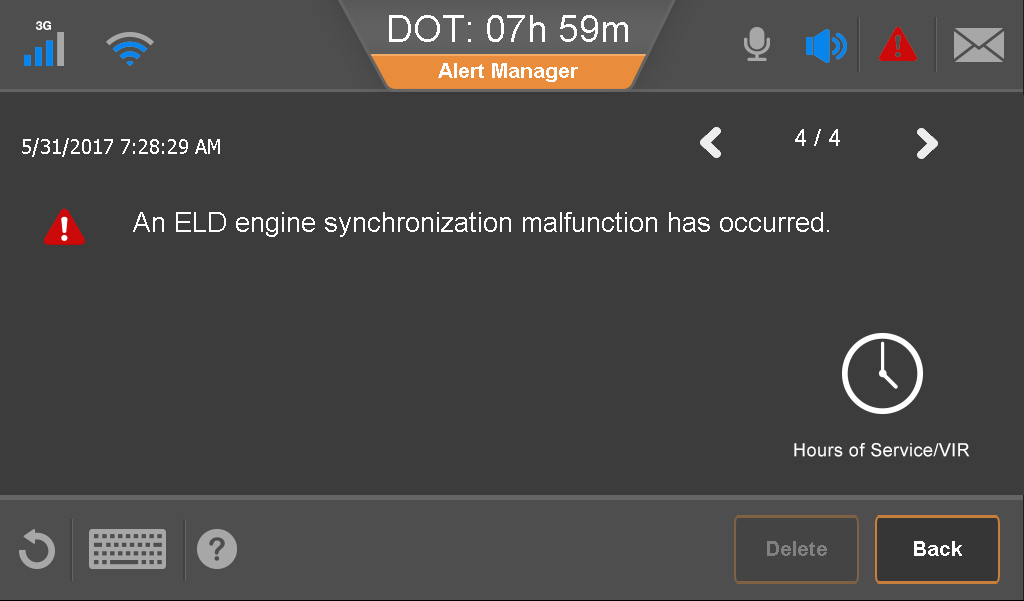
What to check on this screen
- Record the event name and time shown.
- Check required vehicle data and duty records for the affected period; coordinate notice and repair.
Record notice and ownership
For a confirmed ELD malfunction, the driver must note the problem and notify the carrier in writing within twenty-four hours. Confirm receipt and retain the report. An app warning alone is not proof of written notice.
Assign someone to arrange repair. The ordinary eight-day deadline starts when the carrier discovers the malfunction or receives the driver’s notice, whichever happens first. Record that date and escalate unresolved issues.
Verify the affected period
After troubleshooting, check the connection and affected log events. A warning disappearing does not prove that missing activity returned. If recording is impaired, coordinate the required fallback records.
A simple review routine
- Identify the event and affected data.
- Track written notice, repair ownership, and the deadline.
- Verify the records after recovery.