Transfer an IVG record through ERODS
Use transfer controls after reviewing the record.
ERODS sends the inspection file
The ERODS workflow sends the standardized log file, not just the displayed graph. Follow the card’s right-hand sequence. From Day Log, return to Driver mode if needed, then choose ERODS.
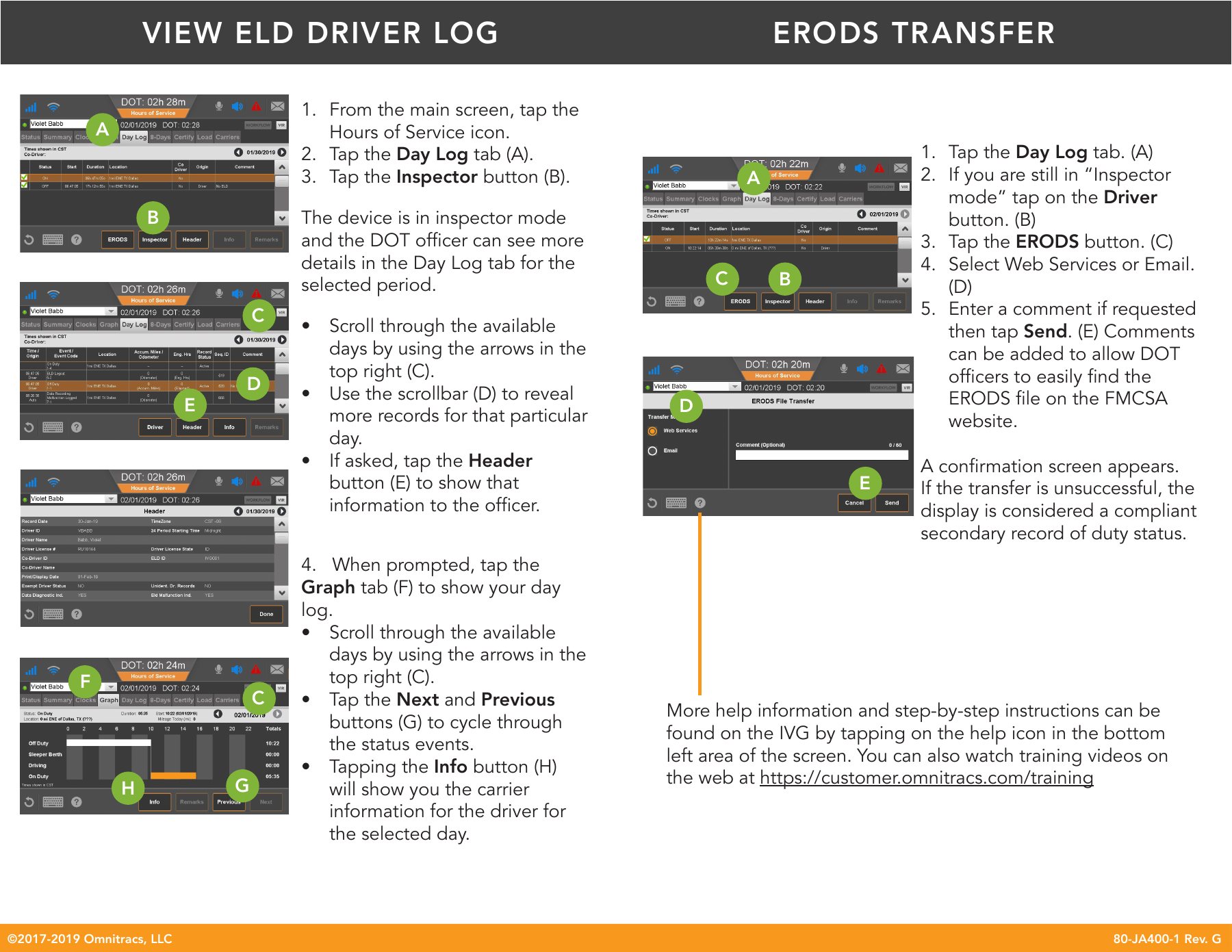
Follow the requested method and routing instructions through to confirmation.
Route and confirm
- Choose Web Services or Email as requested.
- Enter the officer’s supplied comment.
- Tap Send and check confirmation.
If transfer fails, show the compliant display as directed and troubleshoot. A failed send does not automatically mean the logs were lost.