Driver login, equipment assignment, and ELD connection
Check that the next trip will be recorded under the right driver and truck.
What the login and connection establish
A driver login links recorded activity to a specific person. The equipment assignment identifies the truck, trailer, and shipment. The ELD connection lets the device receive the required engine and vehicle data.
Before dispatch relies on a log, check that these three parts match the actual assignment. A correct login does not prove the truck or connection is correct.
A saved truck selection can be out of date. Compare the driver’s log with the current assignment and ask the driver to confirm any mismatch while safely parked.
Match the equipment to the assignment
IVG is an in-cab terminal tied to the truck. Check its vehicle identifier against the assignment. In a team, confirm which driver is active. Use instructions for the installed IVG version.
Check the trailer and shipment details too. An ELD connection does not prove every manually entered field is correct.
Check the saved assignment
Login does not decide the work status
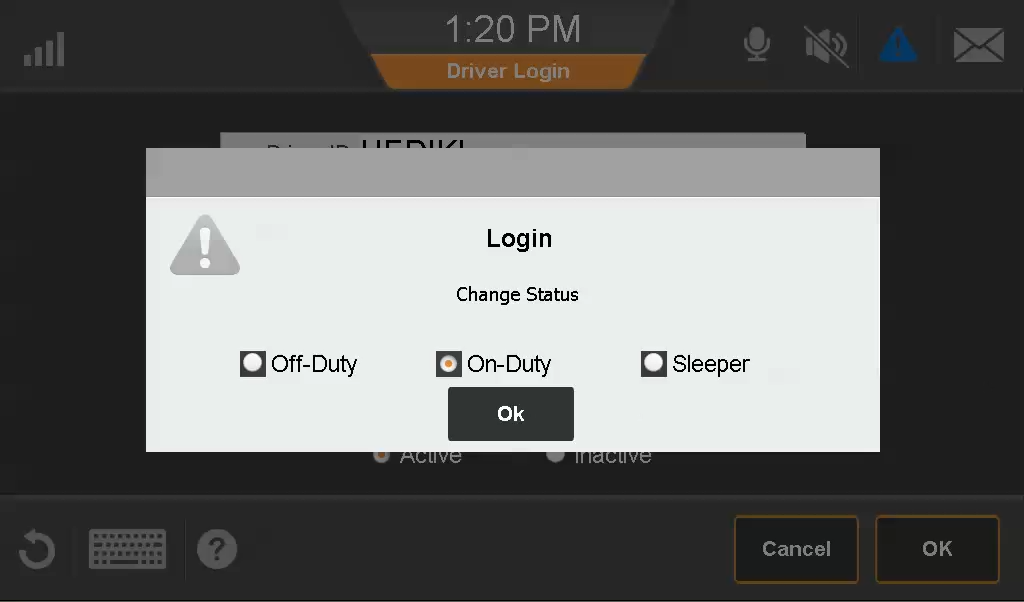
What to check on this screen
- This version requests a duty status at login. Verify that the choice matches the activity.
- Confirm the active driver before relying on the record.
What to watch for
Movement with no logged-in driver needs investigation. Driving under the wrong identity can affect two drivers’ hours. A failed connection may leave required events missing.
A simple review routine
- Check login and the actual truck before departure.
- Recheck after equipment swaps.
- Investigate missing movement, a mismatched identity, or a lost connection.